
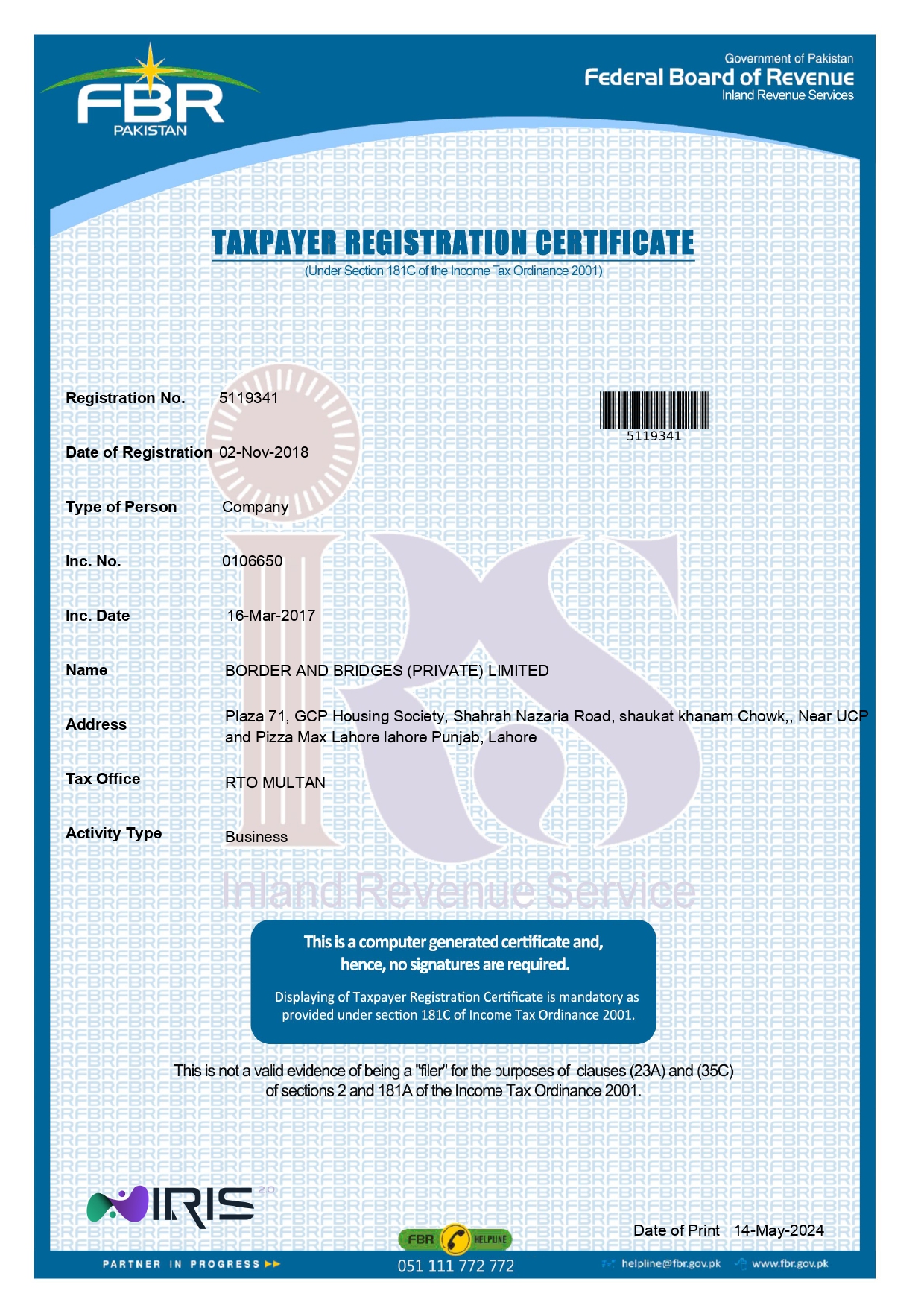
 FBR Inc. No:
0106650
FBR Inc. No:
0106650🔍 Step‑by‑Step Verification Guide
Follow these simple steps on the FBR IRIS portal to verify our legal status.
1Visit the Official FBR Verification Portal
Click the button below to open the IRIS verification page. (Opens in new tab)
Open FBR Portal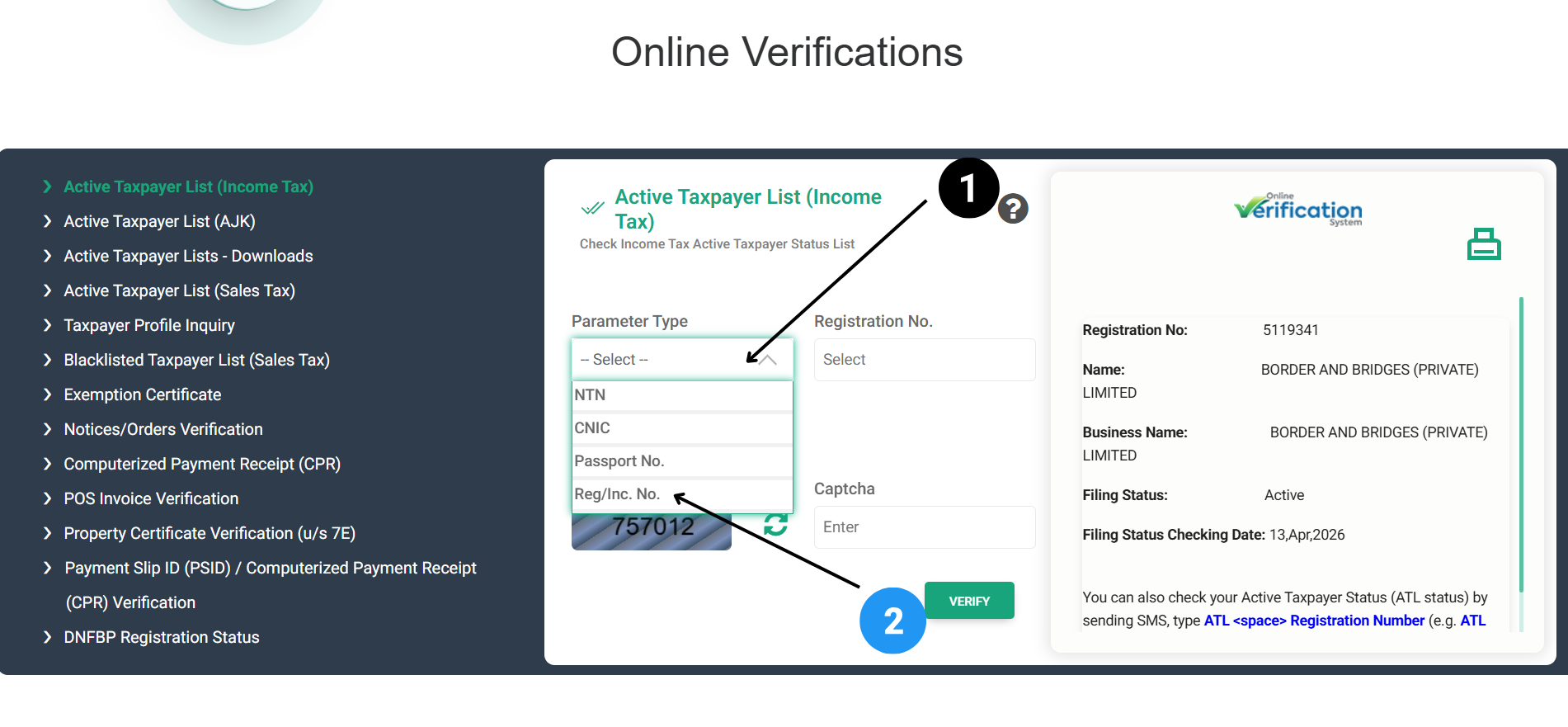 2
2Select Parameter: “Reg/Inc. No.”
Under "Parameter Type", click the dropdown and choose Reg/Inc. No. (Registration / Incorporation Number).
Select:Reg/Inc. No.
 3
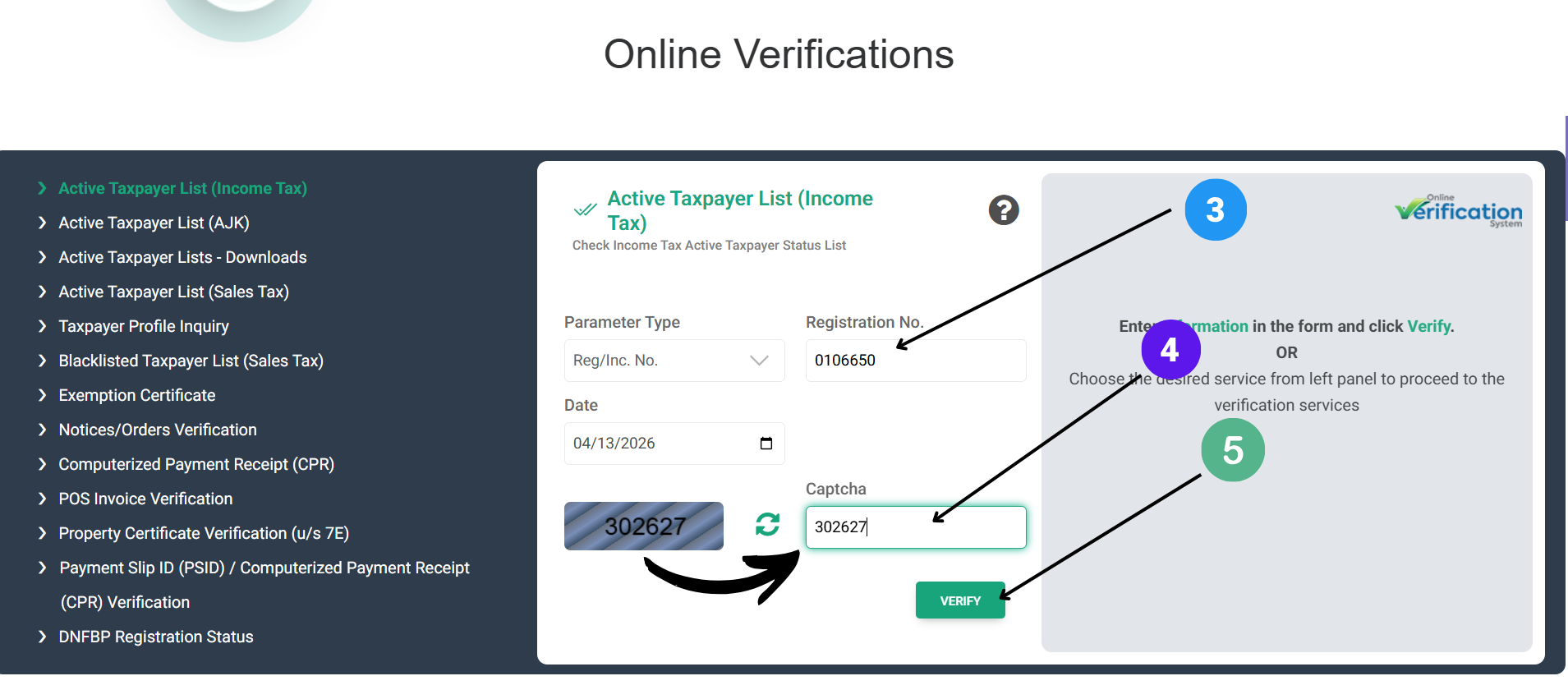
3Enter Incorporation Number: 0106650
Paste or type our Inc. No. in the field below "Registration No." You can copy it instantly:
0106650 Copy Inc. No.Date field — leave as is (default).
4Complete Captcha & Click “Verify”
Enter the captcha code shown on the left side (example: 302627) into the right field, then press Verify.
captcha example: 302627
5View Official Verification Details
Upon success, you'll see “Border and Bridges” with Inc. No. and active taxpayer status — exactly as shown.
Verified & Active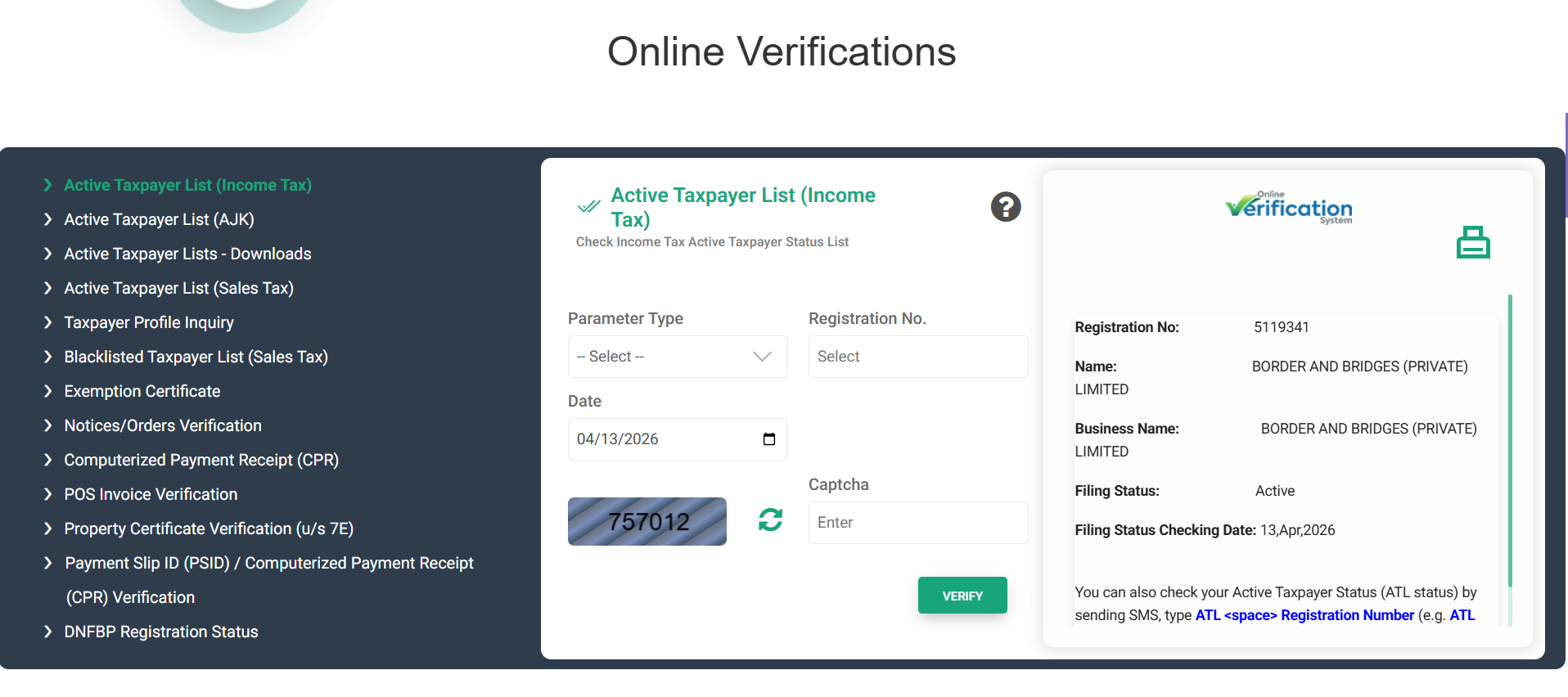
✅ Verify instantly to build confidence
Go to FBR Verification🏛️ Recognised & Compliant
FBR Registered (Inc. No: 0106650) SECP Compliant Entity British Council Standards Verified Education Consultants Immigration Authority PartnerFrequently Asked Questions
Why should I verify Border & Bridges on FBR?
Verification proves we are a legitimate, tax-compliant business registered with the Federal Board of Revenue. It assures clients of our legal standing and transparency.
Is the number 0106650 an NTN or Inc. No.?
It is our Incorporation Number (Inc. No.) issued by FBR. Use it exactly as shown in the "Reg/Inc. No." field for accurate verification.
How do I copy the Inc. No. quickly?
Simply click any “Copy” button on this page. The number 0106650 will be saved to your clipboard, ready to paste.
What if the captcha fails?
Refresh the captcha on the FBR portal and try again. The example shown (302627) is for illustration — use the current code displayed.