
 Search with:
Border
Search with:
Border📋 Step‑by‑Step SECP Verification
Follow these simple steps on the SECP eServices portal to confirm our registration.
1Access SECP Name Search
Click the button below to open the official SECP eServices name search page (new tab).
Open SECP Name Search 2Select Search Option: “Beginning With”
On the name search page, ensure you choose the second option — “Beginning With” (as highlighted).
Option 2: "Beginning With"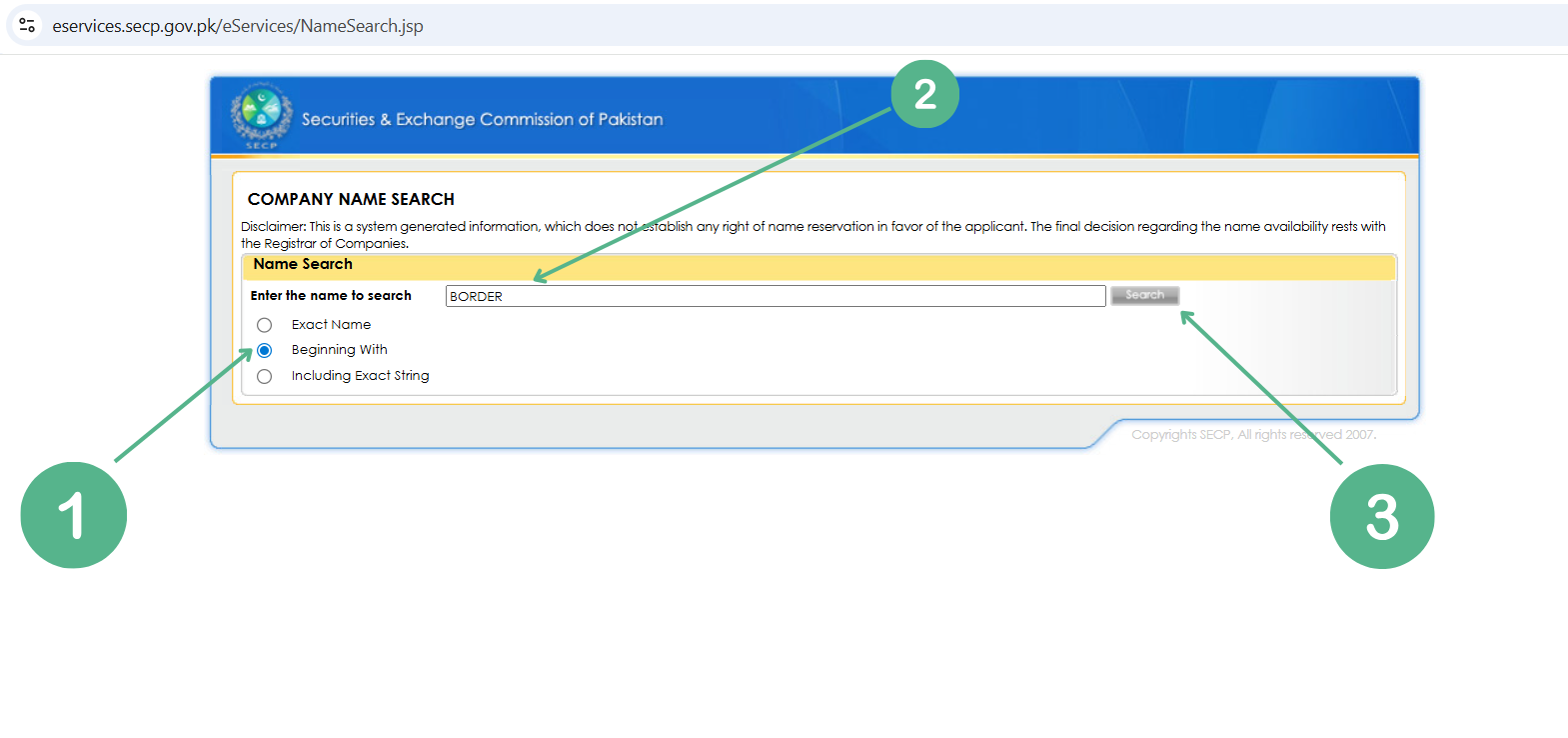 3
3Enter Search Term: "Border"
Type or paste the word Border into the name field. This will retrieve our full registered name.
Border Copy "Border"The system will display "Border and Bridges (Pvt) Ltd" and/or "BORDER AND BRIDGES PVT LTD". Both represent the same registered entity.
4Click “Search” and Confirm Our Listing
After entering the name, click the Search button. You will see our company appear in the results, confirming active SECP registration.
Verified & Compliant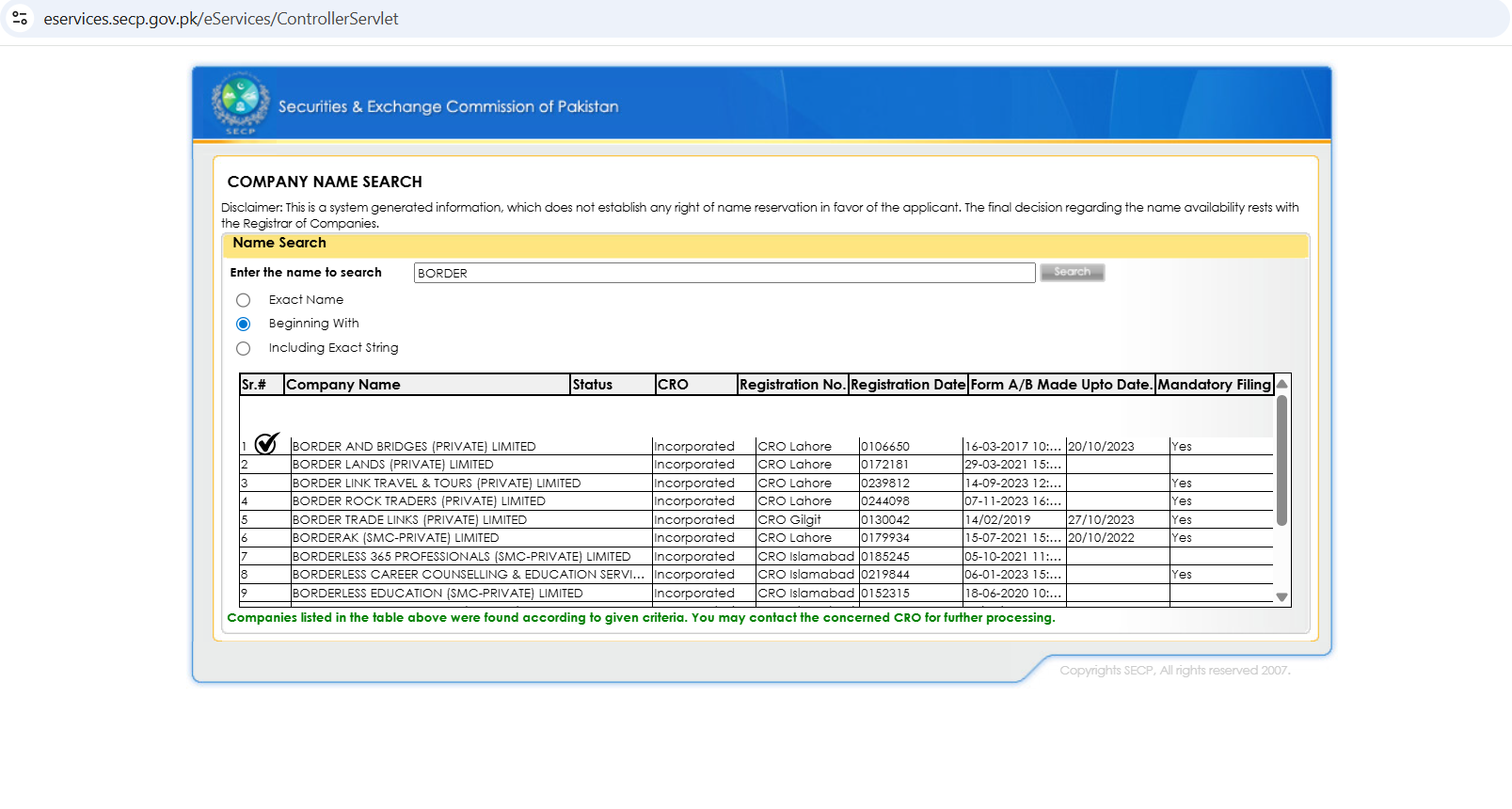
✅ Verify Our SECP Status Now
Go to SECP Verification🏛️ Trust & Compliance Indicators
SECP Registered Entity FBR Active Taxpayer British Council Partner Verified Education Consultants Authorized Immigration AdvisorsFrequently Asked Questions
Why is SECP verification important?
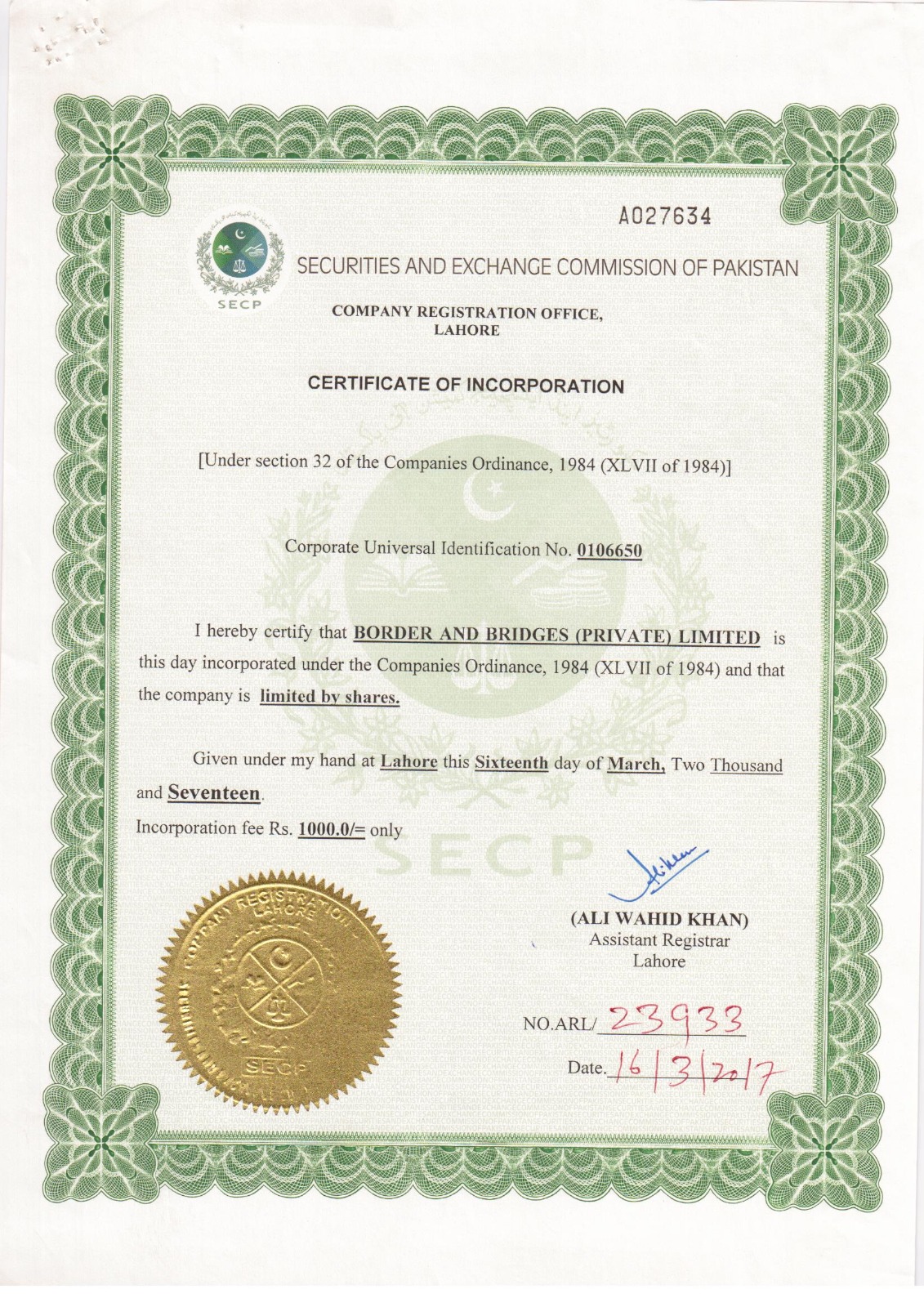
SECP registration proves that Border & Bridges is a legally incorporated company in Pakistan, compliant with corporate governance and regulatory standards.
Why search with "Border" instead of full name?
"Border" is a convenient partial search term. The SECP portal will list our complete registered name, "Border and Bridges (Pvt) Ltd", confirming our identity.
What if the SECP website shows no result?
Ensure you've selected “Beginning With” and entered “Border” correctly. If issues persist, contact our support team.
Is this verification page official?
This page provides direct links to the official SECP eServices portal. The verification is performed on a government website, ensuring authenticity.